Progress
Progress is the coach's central view for tracking participant outcomes through two main sections: Activity Plans and Journeys.
A coach views John's Progress and sees his active Activity Plans with completion rates, his enrolled Journeys with their current status, and visualizations of his weight trending down over 8 weeks.
Progress Data & Visualizations
Progress shows self-reported data collected from participants through Activity Plans and Health Measures.
Activity Plans
The Activity Plans section shows all assigned Activity Plans with their status, completion rates, and schedule details.
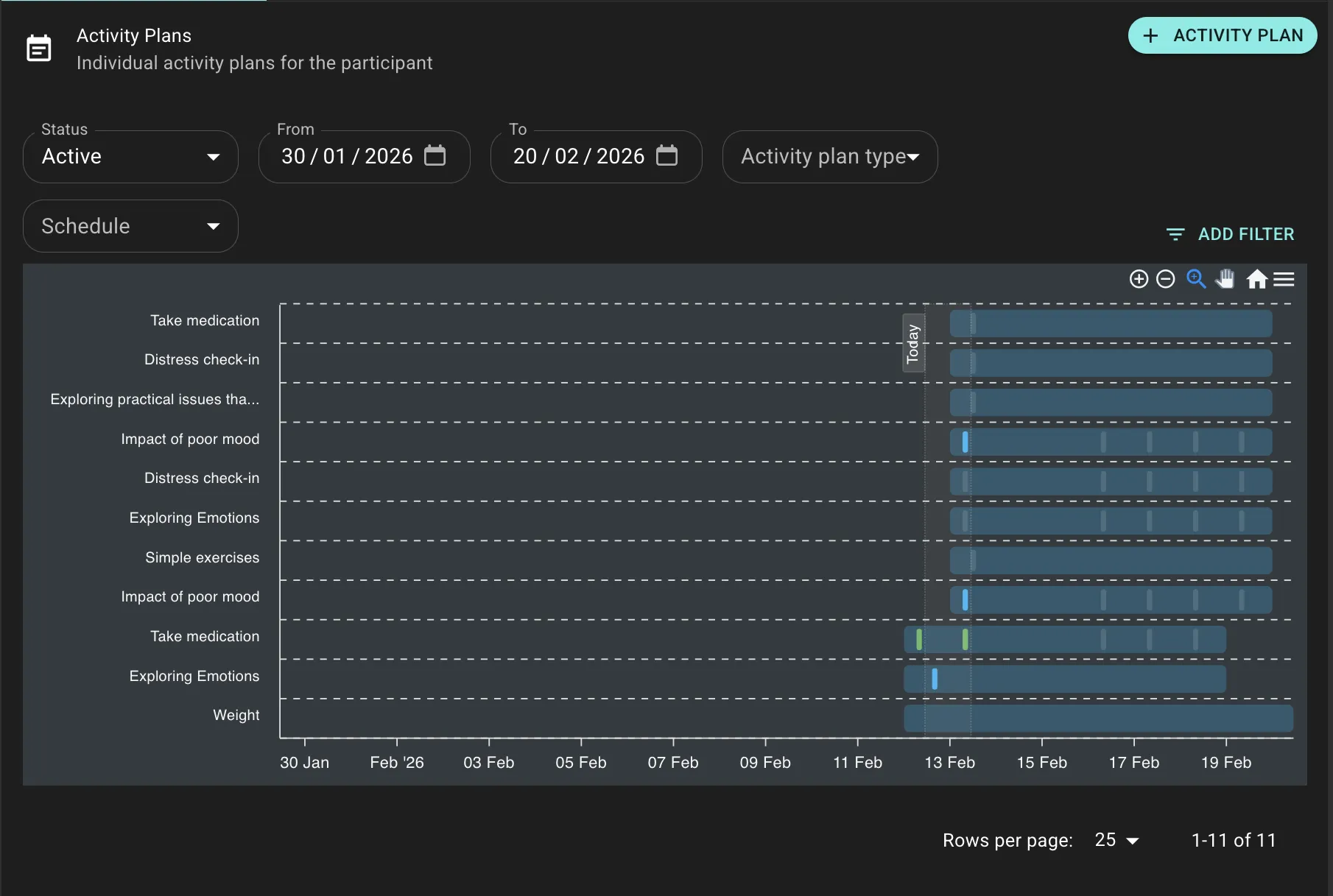
All Cards are Activity Plan templates. When a coach assigns a Card, it creates an Activity Plan. Every card assignment is an Activity Plan.
Types of Activity Plans
Recurring Activity Plans create scheduled prompts at specific times (daily, weekly) for building habits, ongoing monitoring, and routine check-ins.
One-Off Activity Plans assign an Activity Plan once without recurrence-useful for single assessments, content, one-time tasks, or initial check-ins.
A coach creates a recurring plan for Maria to log her mood daily at 8 AM for 8 weeks. The list view shows completion percentage and recent activity.
Activity Plan Completion
Activity Plans can be completed in two ways:
- Scheduled Completion: Participant completes the Activity Plan at its scheduled time (e.g., daily at 8 AM)
- Anytime Completion: Participant completes the Activity Plan whenever they choose, regardless of schedule
Health Measures are Activity Plans with no schedule-they're only available as anytime completions, which is why they appear in the Feed as permanently available.
Health Measures have no schedule, so participants can log data (weight, mood, etc.) whenever convenient. They remain persistently visible in the Feed.
Creating Activity Plans
Configure the Card template, recurrence pattern (daily/weekly), time, duration, and start date. Activity Plans can be prescribed manually or delivered automatically through Journey States.
Managing Activity Plans
- Change Schedule: Modify recurrence or timing for future instances
- Extend or End Early: Adjust duration as needed
Activity Plans cannot be paused. To temporarily stop, end the plan and create a new one later. Schedule changes only affect future instances.
Participant Journeys
The Journeys section shows all active and past Journey enrollments with their progress status.
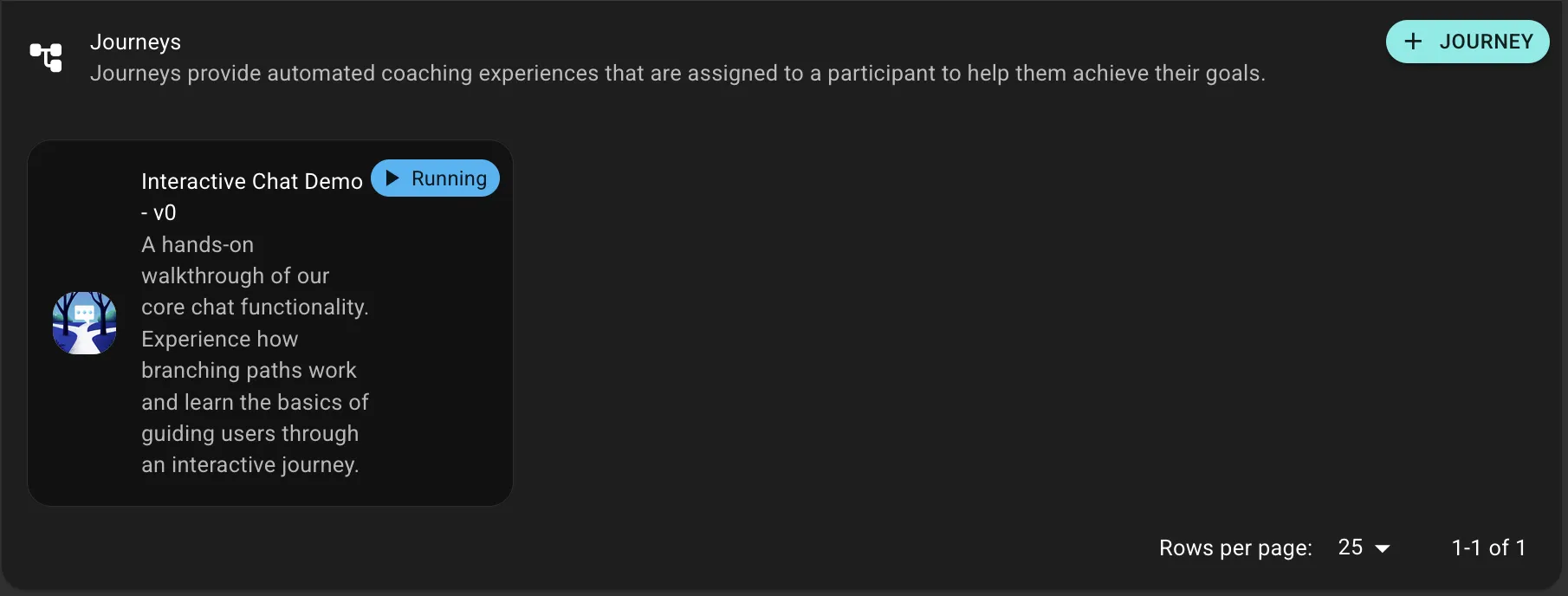
Participant Journeys are active Journey enrollments that deliver Activity Plans, Content, and Chat messages automatically based on the Journey's States and Transitions.
Managing Participant Journeys
- Pause: Temporarily halt progress (e.g., vacation)
- Resume: Reactivate from current State
- Stop: Permanently end enrollment
Enrollment Settings
Configure start date, intervention hours, reminder preferences, and participant-specific parameters when prescribing.
Data-Driven Coaching
Use Progress data to:
- Identify intervention opportunities (declining metrics, low completion rates)
- Personalize Journeys based on outcomes
- Provide evidence-based feedback in Chats
- Generate reports